
How to Make Your Pool Builder Website ADA Compliant in 2026
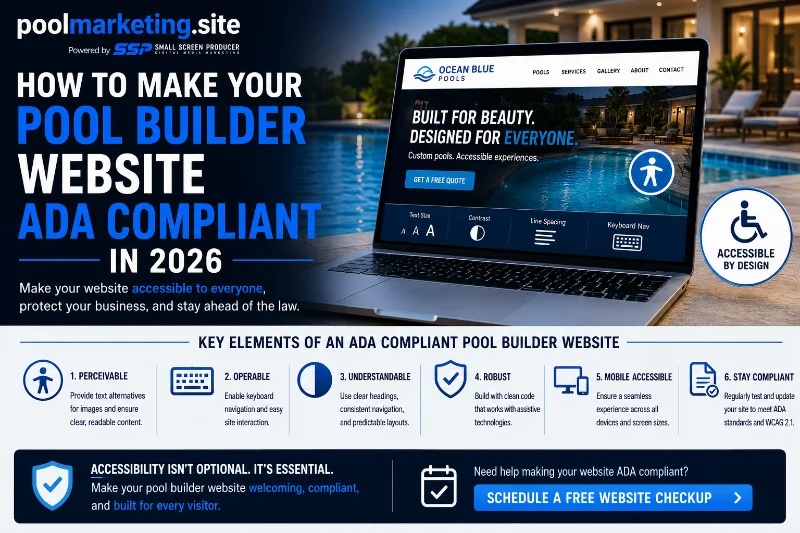
Making a pool builder website ADA compliant in 2026 requires addressing accessibility gaps across four areas: image alt text, keyboard navigation, color contrast, and form labeling. WCAG 2.1 Level AA is the applicable standard. The process starts with an accessibility audit to identify existing failures, followed by systematic remediation of the underlying code and content — supported by an accessibility widget that improves the experience for visitors with disabilities while remediation work proceeds.
ADA web compliance isn’t the most exciting subject in pool builder marketing. But the demand letters that arrive when a website has significant accessibility gaps are very exciting — in all the wrong ways. And the good news is that making a pool builder website compliant is a defined, achievable process, not an open-ended technical nightmare.
Here’s how to actually do it.
Step 1: Run an Accessibility Audit
Before remediating anything, you need to know what you’re remediating. Two free tools provide useful starting points. WAVE (wave.webaim.org) visually overlays accessibility errors directly on your pool builder website, making it easy to see what and where the problems are. Google Lighthouse, available in Chrome’s developer tools, generates a comprehensive accessibility report alongside performance and SEO data.
These automated tools catch most common failures — missing image alt text, unlabeled form fields, insufficient color contrast, missing heading structure. They don’t catch everything — particularly dynamic content issues and keyboard navigation problems that require manual testing — but they provide an accurate picture of your site’s most significant compliance gaps.
Step 2: Fix the Four Most Common Failures on Pool Builder Websites
Image Alt Text
Every image on your pool builder website should have a descriptive alt text attribute that communicates what the image shows to users who can’t see it. ‘Pool’ is not adequate alt text. ‘Custom gunite pool with waterfall feature and raised spa, Houston TX’ tells a screen reader user what the image shows and adds SEO value simultaneously. This is the single most common accessibility failure on pool builder websites — and the most straightforward to fix.
Keyboard Navigation
Every function on your pool builder website — filling out a contact form, opening and closing navigation menus, activating chatbots, viewing gallery images — should be completable using keyboard controls (Tab, Enter, Arrow keys) without a mouse. This is particularly important for any interactive elements like sliders, pop-up quote request forms, or chat widgets. Testing keyboard navigation manually is the most reliable way to find these failures.
Color Contrast
Text must have sufficient contrast against its background to be readable by users with low vision. WCAG 2.1 requires a minimum contrast ratio of 4.5:1 for normal text and 3:1 for large text. Pool builder websites with light gray text on white backgrounds, or white text on light blue backgrounds, frequently fail this requirement. The WebAIM Contrast Checker (webaim.org/resources/contrastchecker) lets you input any color combination and check whether it meets the standard.
Form Labels
Every input field on your pool builder website’s contact form, quote request form, or scheduling form must have a label that’s programmatically associated with that field — not just a placeholder text that disappears when a user clicks the field. Placeholder text is not a substitute for a proper form label, because it disappears before the user finishes typing, which is a significant barrier for users with cognitive disabilities and screen reader users.
Step 3: Add an Accessibility Widget as an Immediate Measure
While underlying remediation work proceeds, an accessibility widget adds a user-controlled interface that allows visitors to adjust their experience — increasing font size, enabling high contrast mode, activating screen reader optimizations, and other adjustments. Pool Marketing Site offers GetAccessible for pool and spa industry websites, providing an accessibility toolbar that is available on every page immediately upon installation.
An accessibility widget is not a substitute for remediating underlying code failures, but it significantly improves the experience for visitors with disabilities and demonstrates good-faith effort toward compliance while comprehensive remediation proceeds.
Step 4: Test and Document
After remediation, run your accessibility audit tools again to confirm that identified failures have been addressed. Conduct manual keyboard navigation testing to confirm interactive elements are fully accessible. Document the changes made and retain the audit reports — this documentation demonstrates the compliance effort undertaken and is relevant if any legal inquiry arises.
Maintain ongoing accessibility scanning as part of your monthly website maintenance plan — new content additions are opportunities for new compliance gaps, and catching them monthly prevents accumulation.
Frequently Asked Questions
How long does it take to make a pool builder website ADA compliant?
The timeline depends on the size of the site and the scope of existing failures. A pool builder website with a gallery, service pages, a team page, and a contact form — a typical site — can typically be remediated in two to four weeks. Larger sites with extensive content libraries, multiple forms, and video content take longer. An accessibility widget like GetAccessible can be installed immediately, beginning to improve the user experience while systematic remediation proceeds in parallel.
Does ADA compliance for pool builder websites need to be maintained after initial remediation?
Yes — and this is one of the most common misunderstandings about accessibility compliance. Compliance isn’t a one-time project; it’s an ongoing practice. New images added to your project gallery without alt text, new forms added without proper labels, new videos published without captions — each content addition is a potential new compliance gap. Pool Marketing Site includes accessibility auditing in monthly website maintenance programs, catching new issues as they’re introduced rather than allowing them to accumulate.
Is full ADA remediation required, or does an accessibility widget provide sufficient compliance?
This is a legal question that ultimately requires legal counsel for a definitive answer. From a practical standpoint, an accessibility widget alone may not resolve all WCAG 2.1 Level AA failures — particularly structural issues in the website’s HTML that affect how screen readers interpret the page. A combination of underlying code remediation and an accessibility widget provides the most comprehensive compliance posture. Pool Marketing Site recommends this combined approach and can assess any pool builder website to identify what level of remediation is warranted.
Make Your Pool Builder Website ADA Compliant in 2026
Pool Marketing Site provides ADA compliance auditing, remediation, and GetAccessible widget installation for pool builder websites — protecting your business and serving every homeowner who visits your site.